Blog
Go backGmail Is Killing "Send As" for Other Email Accounts. Here Are Your Options.
Hot Takes · August 26th, 2026
For years, Gmail has been the friend who lets everyone crash on the couch. Your old Hotmail? Sure. Your Yahoo address from 2004? Come on in. Your custom domain from that side business you swear is still active? There's room by the fridge.
Now Google is changing the locks.
In January 2027, Gmail stops letting you send from outside addresses through your Gmail account. Gmailify and fetching mail from other accounts over POP go with it. If you've spent years running three inboxes from one Gmail tab, this is your eviction notice. It comes politely worded, with a timeline table.
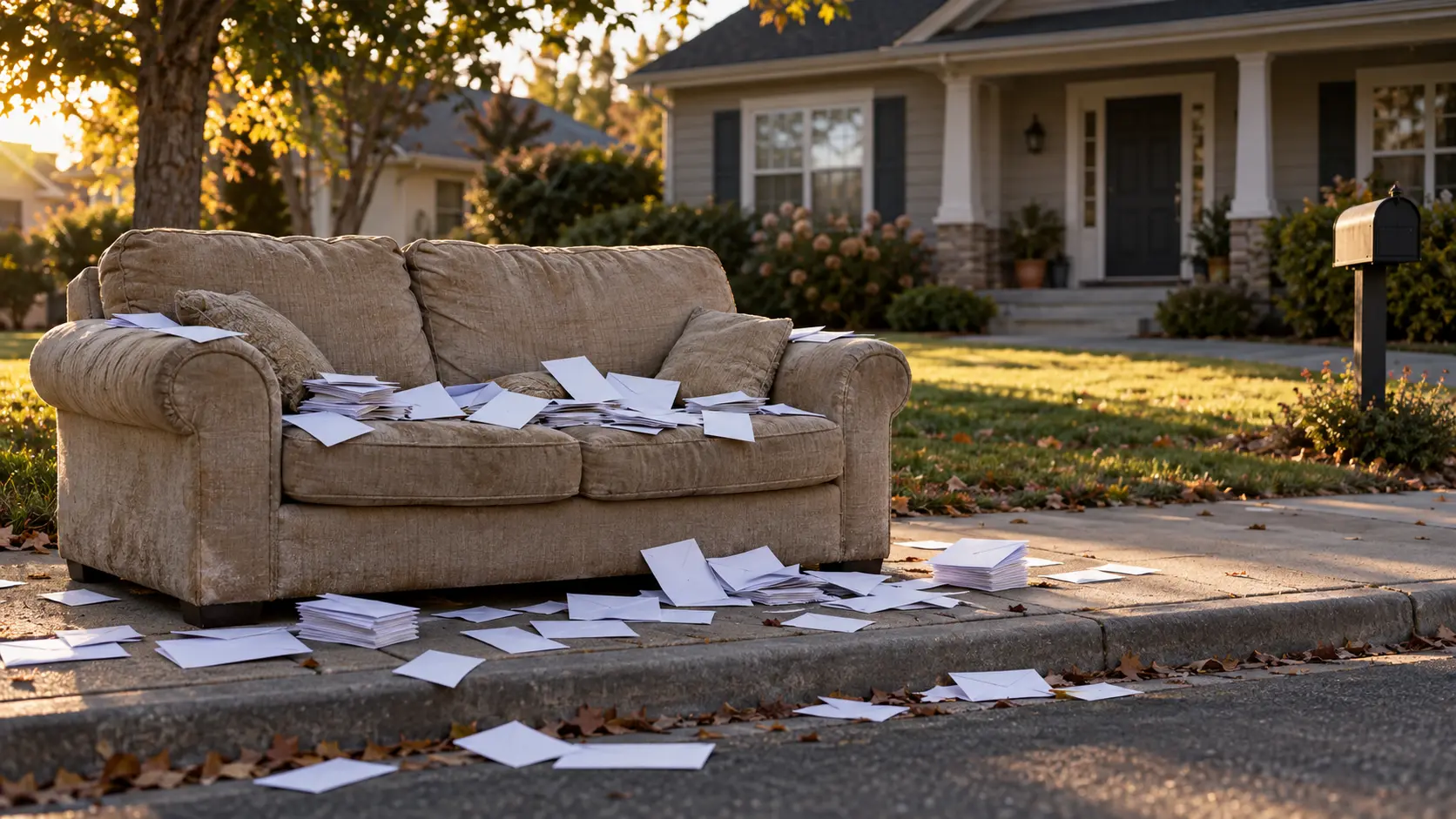 Thanks for the years of hospitality. Your stuff is outside.
TL;DR
- January 2027: Gmail ends "Send As" for non-Google addresses set up inside your Gmail account, on the web and in its apps. Gmailify and POP fetching end too.
- Already restricted: Gmailify and POP stopped accepting new users after Q1 2026. For Send As, Google may restrict new setups during the rest of 2026. Existing setups keep working until the cutoff.
- Not affected: Gmail and Workspace aliases, accounts added separately in the Gmail mobile app, mail apps connecting to Gmail over IMAP or POP, mail you've already imported and forwarding.
- Check yourself: Gmail → Settings → See all settings → Accounts and Import (sometimes just "Accounts"). Look for non-Google addresses under "Send mail as" and anything under "Check mail from other accounts."
- Your options: the other provider's own webmail, a desktop mail client, the Gmail mobile app, forwarding or moving your email hosting to Google Workspace.
- Or flip it: connect supported external accounts, Gmail included, to your [@fuck.it] inbox and work from one place.
What's Actually Going Away
Three features are on the chopping block.
"Send As" for non-Google addresses. This is the setting that lets you write from your Gmail account while recipients see your Outlook, Yahoo or custom-domain address. Gmail-to-Gmail aliases and Google Workspace "Send as" are not affected. Only outside addresses lose it.
Gmailify. It applied Gmail's spam filtering and inbox organization to your other account. Basically, Gmail was renting its brain to another inbox. The lease is up.
POP fetching. This is the "Check mail from other accounts" setting that quietly pulled messages from another provider into Gmail. It's going too.
Google's stated reason is maintenance cost. Translation: the features are old and fiddly, and nobody at Google gets promoted for keeping 2009 alive.
The Timeline (a.k.a. How Long Your Couch Privileges Last)
Two schedules overlap here, so read carefully.
Gmailify and POP fetching stopped accepting new users after the first quarter of 2026. If you already use them, they keep working until January 2027.
For Send As, the notice period started in Q3 2026 with in-app notifications. Through the rest of 2026, existing setups keep working, but Google may restrict new ones and is encouraging everyone to migrate now. In January 2027, all three features are switched off.
If your setup works today, it's living on borrowed time. If you were about to set one up, don't bother.
What Survives (Because Not Everything Is On Fire)
Before you panic-migrate your digital life at 2 a.m., here's what isn't changing.
Accounts added separately in the Gmail mobile app. On Android, iPhone and iPad, you can still add a Yahoo, Outlook or other account to the app and read and send from it over a standard IMAP connection. What ends is sending as that address from inside your Gmail account. A separately added account is a different setup, and it stays.
Other apps connecting to Gmail. Outlook, Thunderbird and Apple Mail can still reach your Gmail over IMAP or POP. Google says both remain fully supported.
Mail you already imported. Everything synced before the cutoff stays in your Gmail. One-time imports from other accounts are still available on the web. They just don't keep syncing.
Forwarding. You can still have your other provider auto-forward to Gmail. The catch: once Send As is gone, anything you answer from Gmail goes out from your Gmail address.
Who This Actually Hurts
For many people, this is a shrug about a Hotmail account they forgot existed. Fine. Let it rest.
For others, it's a real problem: small businesses sending from a custom domain through a personal Gmail, people who merged an old Yahoo or Outlook address into Gmail, anyone who relied on Gmailify to clean up a second inbox. Your clients know you as hello@yourbrand.com. If that address can only be answered from Gmail, January is going to be awkward.
How to Check If You're Affected
Open Gmail on the web and go to Settings → See all settings → Accounts and Import. On some accounts the tab is just called Accounts. Then look for two things:
- External addresses under "Send mail as." Your own @gmail.com address and Workspace addresses are fine. Anything else is affected.
- Anything under "Check mail from other accounts." That's POP fetching or Gmailify, and it's going away.
Nothing external in either place? Close this tab and go live your life. Otherwise, read on.
Your Options
1. Use the other provider's own webmail or app. The boring, correct answer. Your Outlook address lives at Outlook. Your custom domain's host has its own webmail. It's one more tab. You'll survive.
2. Use a proper mail client. Thunderbird, Apple Mail, Outlook and plenty of others manage several accounts in one window over IMAP and SMTP, each sending through its own server. Honestly, that's the setup Send As was imitating all along.
3. Add the account separately in the Gmail mobile app. If you live on your phone, this keeps things familiar. Test it before January, not on January 2nd.
4. Forward everything to Gmail. Easiest to set up. Mail arrives in one place, but your replies from Gmail come from your Gmail address. It's a fine convenience choice if Gmail is where you want to live. If you moved to a private provider precisely to stop storing your mail at Google, forwarding it all back defeats the point.
5. Move your email hosting to Google Workspace. If your custom domain's email has to live inside Google, this is Google's own suggestion for businesses. It means moving the email hosting itself: creating mailboxes in Workspace and pointing your domain's MX records at Google. Your registrar, website and DNS provider can stay where they are. And yes, the free workaround gets replaced by a paid product. That's our observation, not Google's stated reason.
A word on "we'll bring Send As back" extensions. At least one browser extension is already pitching itself as the fix. Google warns that such tools often need your email credentials or a login token. To be fair, anything that shows you another account's mail needs access to it. Thunderbird does, the Gmail app does and so do we. The question is who gets that access. A mail client or provider you already trust is one thing. An add-on sitting inside your Gmail compose window is another.
Migration Survival Rules
- Don't wait for January. Migrate while the old setup still works as a fallback.
- Inventory first. List every external address and fetching connection. You'll find one you forgot about. Everyone does.
- Back up first. Export before you disconnect anything: Google Takeout for Gmail, your provider's export tool for the rest. Migrations are exactly when people delete the wrong thing.
- Reply-To isn't a fix. Sending from Gmail with your business address as Reply-To gets replies to the right place, but your @gmail.com address still shows in the From line.
- Pick your real address. If you've been juggling four identities through one tab, retire two.
- Update signatures and auto-replies. They may reference an address you're about to stop sending from.
- Tell the people who matter. If your reply address changes, clients and family deserve a heads-up.
- Test sending, not just receiving. Plenty of migrations look fine until someone replies and nothing leaves the building.
The Bigger Lesson
This isn't really about one checkbox. When a free service is the hub for everything, you're living in someone else's house under someone else's rules. The rules change when the owner decides something isn't worth the upkeep.
Email itself is fine. IMAP and SMTP are open standards, and any decent client speaks them. What's ending is Google's willingness to run other companies' mailboxes for free. That's their call. Just don't build your setup on the assumption that it never changes.
Where [@fuck.it] Lands
If what you'll miss is having everything in one place, you don't have to give that up.
In your [@fuck.it] webmail, go to Settings › Mail › Add e-mail account and connect your Gmail, Outlook.com or other IMAP account. Depending on the provider, you either sign in with them and grant access, or enter the account's credentials. For Gmail, that means signing in with Google where available, or using an app password, which requires two-step verification on your Google account. Your normal Google password won't do it.
The connected account's folders appear in your sidebar next to your own. You can read its mail without leaving the tab. If the other provider allows it, you can send from that address too, and the interface shows you when sending is available.
Turn on Unified Mail for a connected account, and its inbox also shows up in one combined folder, each message labeled with the account it belongs to. Messages still exist only once, and subfolders stay out of the combined view.
Connecting an account doesn't move its mail. Messages stay on the original provider's servers, so your Gmail remains at Google under Google's rules. It also doesn't count against your [@fuck.it] storage. If you want that mail out of Google for good, migrate it instead of connecting it.
Prefer a desktop app? Every account includes IMAP, POP3 and SMTP, so any proper mail client handles [@fuck.it] directly.
And if you left Google for privacy, don't forward everything back. That's not a migration. That's a boomerang.
Related Posts
Sources & further reading: Google: Changes to third-party email account support in Gmail · Google: Changes to Gmailify & POP in Gmail · Google: Sign in with app passwords · Android Authority on the Send As removal · [@fuck.it] FAQ: Connecting other inboxes
Related reads: Gmail's "Smarter Inbox" Wants the Rest of Your Mailbox · The Day Email Didn't Die